List Views show a list of items in columns. In many cases, the columns can be changed, moved around, and searched.
Note that Property Views also display a list on the left, which has the same controls.
Some List Views have an enhanced filter or search feature instead of the following controls.

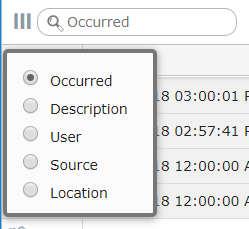
To search in a column, enter the text in the box at the top of the list. The default, gray text is the column that will be searched. Click the magnifying glass to change the column.
|
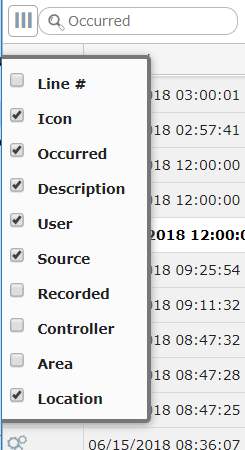
You can move the displayed columns by clicking and dragging on the column title. Click the triple bar icon to select which columns to show.
|
Lists run to extra pages when the number of items exceed your personal Items per Page set in Menu: Preferences. This box appears at the bottom of the list when there are pages. You can go forward or back a page, go to the end or beginning, or enter a page number.
|
